Writing › AI at home
Post · November 2026
AI Caught a Wiring Mistake I Made a Year and a Half Ago
I sent AI a two-second video of a buzzing doorbell chime and told it I had unplugged the wires. Without my asking, it found the mistake I made when I installed the doorbell.
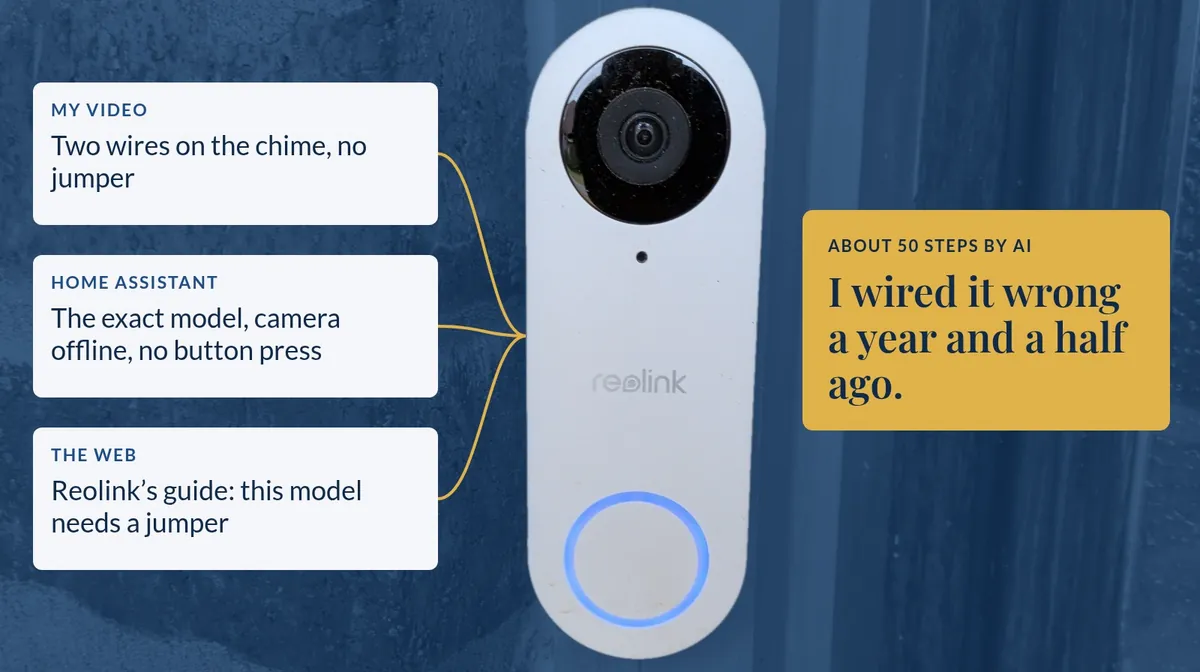
I wired up my video doorbell about a year and a half ago, thinking I had done it right. I hadn't. I found out because AI caught the mistake, and gave me the solution when I hadn't asked for it.
The buzzing
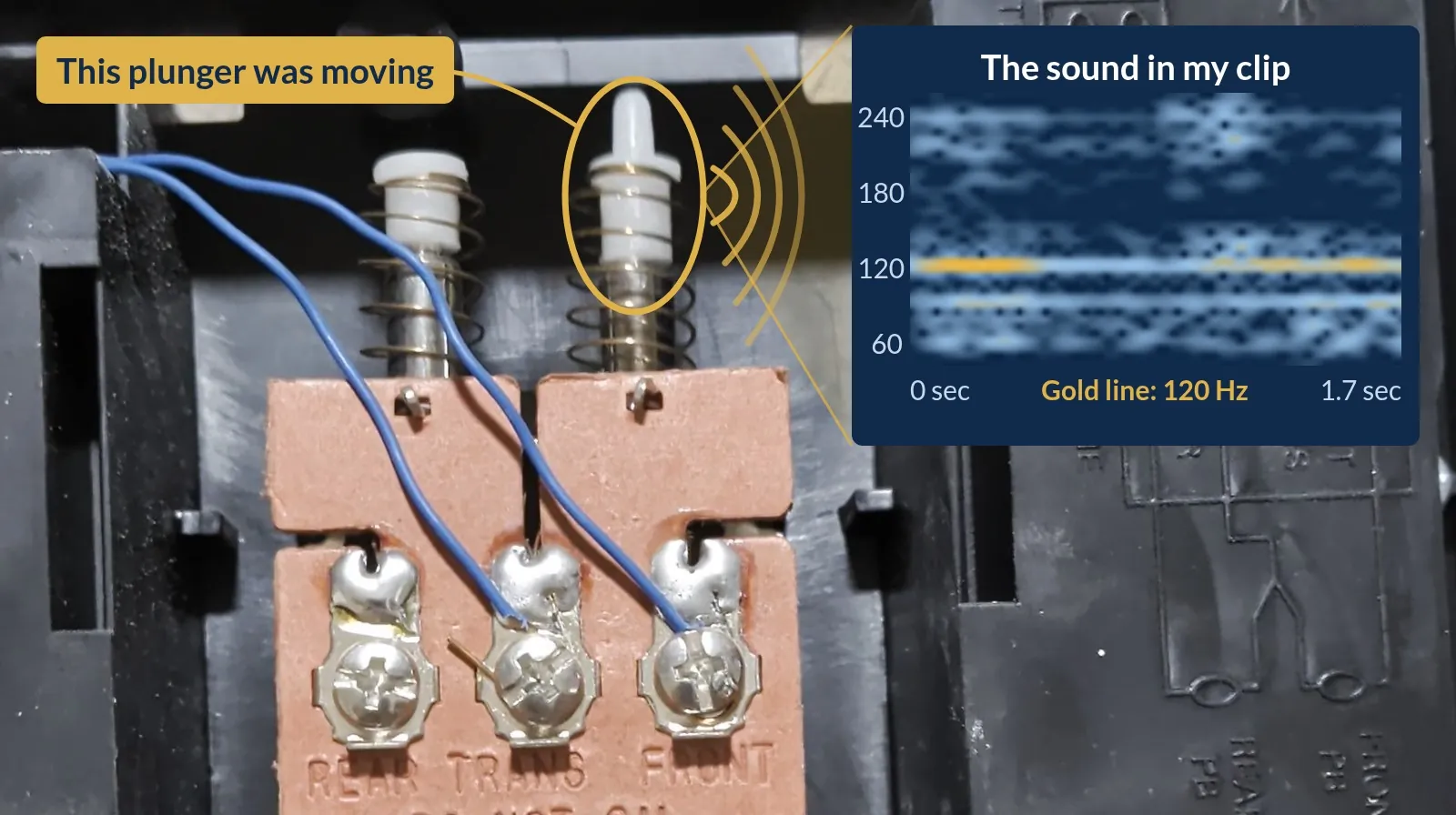
I heard a buzzing. My first thought was that something was wrong with the AC, so I went out to check. It wasn't running. I turned off the thermostat and still heard the sound. I couldn't figure it out, and eventually determined it was the doorbell making a humming noise.
With the cover off the old mechanical chime, I could see the right plunger moving up and down. I filmed a short clip. It stopped, or at least I thought it did.
Why I'm writing about this
The actual fix didn't take very long. But it's the kind of thing that probably would have stayed unplugged on the wall for weeks, until I had two hours to do Google searching. Instead I used AI and got it figured out that same day.
Claude looks at the video
I sent the clip to Claude, Anthropic's AI model, and asked, "What's wrong with my doorbell". It told me it couldn't see anything clearly broken, and that the video didn't show the fault.
I told it the plunger had been moving and to look again. It looked at a handful of snapshots from the video and said the same thing. So I pushed again: "I gave you a short clip and it clearly shows the movement and the noise".
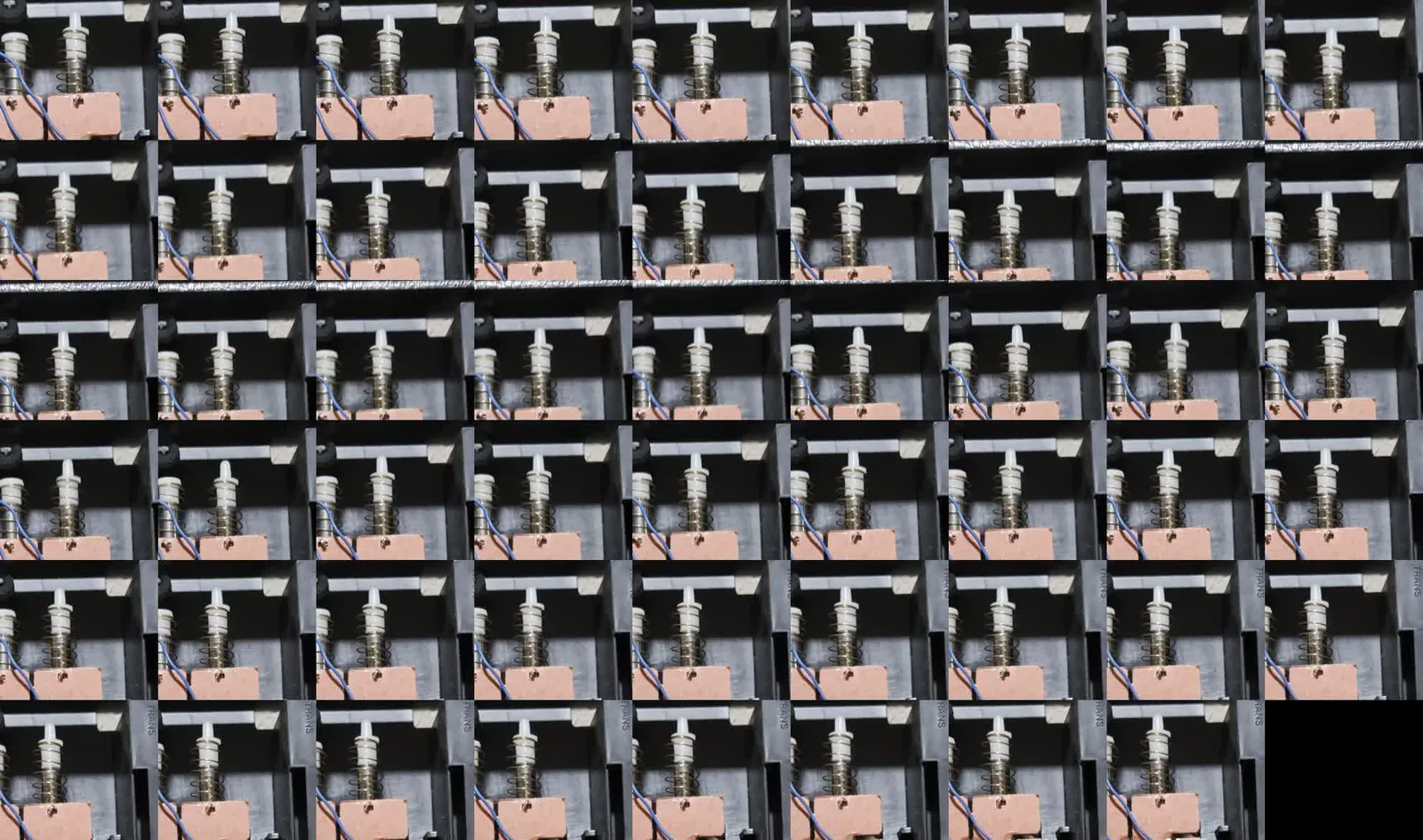
This time it went through every frame, all 53 of them, and agreed. The plunger was moving. It also admitted that it can't actually watch a video or hear audio. It had been looking at a few still pictures and a volume number.
But knowing there was a problem wasn't the same as knowing what it was. It gave me a list of possibilities: loose wiring, the doorbell's power draw, a sticky plunger. It couldn't say which.
Gemini looks at the video
I asked Claude to send the clip to Google's Gemini, since it can natively "see" video and sound. But Gemini was worse. One attempt described a "10-minute" clip of nonstop ding-dong. My clip was under two seconds and had no dinging, just a short buzz. Another attempt saw the plunger move once, at about the one-second mark, and concluded that "nothing appears to be functionally wrong."
The part I didn't ask for
Later I came back and it was having the problem again. I tried ringing the doorbell and moving the chime, and neither helped. I didn't want to ruin my doorbell, so I unplugged the wires.
That evening I was also debugging the video alerts from the doorbell camera, in a separate conversation with Claude. Something it said made it sound like the doorbell was still working, which I was pretty sure could not be the case, since the wires I unplugged at the wall chime are its power source. But because I did not want any damage to the doorbell, I asked what it meant. It said no, the doorbell was offline at the exact time I had unplugged it, and told me to check the power and Wi-Fi.
Again, I was trying to debug my phone alerts when someone came to my door, but it gave me a solution I was not looking for. It proposed a wiring fix, but it was not easy to follow as a wall of text, so I asked, "Show me how to wire it". From previous experience I was expecting a wiring diagram that looked like it was drawn in PowerPoint and was not 100% trustworthy. Instead I got this without asking for it.
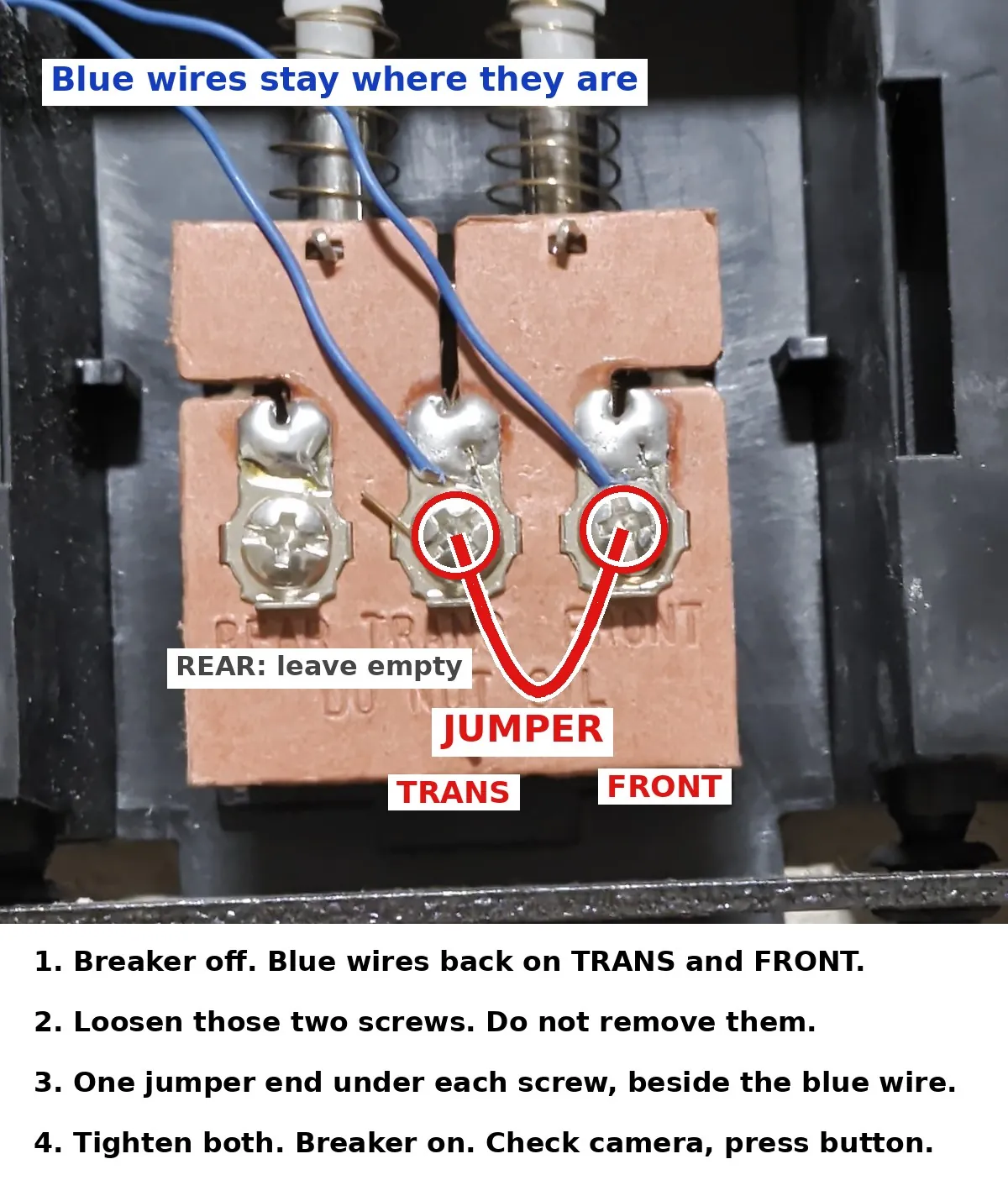
I was amazed, and I also did not trust it, so I asked how it had come up with its schematic. It linked to the manufacturer's installation manual online and pointed me to the schematics, with a before and after that matched my wiring. It said I just had to add the red jumper to my existing wiring and that it would be in the box.
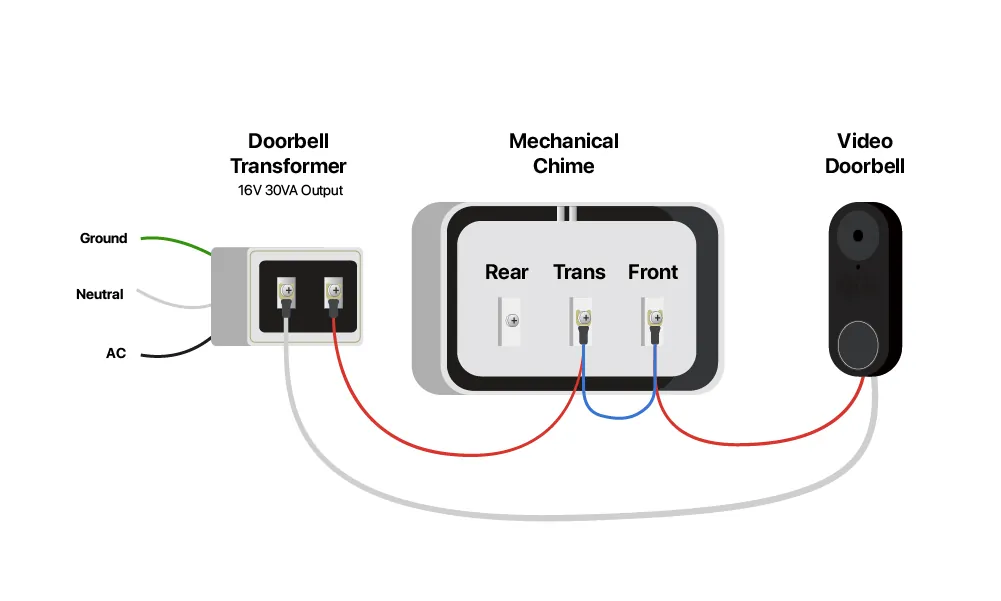
Diagram from Reolink's install guide.
Now I remembered: when I installed the doorbell about a year and a half earlier, that jumper was in the box, and when I read the installation instructions, they did not seem to apply to my wiring. There are a couple of different versions of my doorbell, and they receive power differently. So I told it to confirm the instructions were in fact for my exact make and model, which it proved to me.
Fortunately, I had kept my box and it had the jumper, so 5 minutes later I had the correct wiring and a working doorbell.
Get new posts by email or RSS
More to read
Laundry Is Done: The Home Assistant Automation That Won't Let Wet Clothes Go Musty
The house says when the washer is done, and keeps saying it until someone opens the door.

Ben Holden is an environmental engineer. Outside work he does home automation, AI projects and a lot of do-it-yourself projects. God, family and his kids are at the center of all of it. More about me · LinkedIn