Writing › AI at home
Post · November 2026
Teaching AI to Find LEGO Pieces So My Son Could Build
My son opened every bag of a 500-piece LEGO set and mixed the pieces together. I used AI and a few free tools to build a phone guide that finds the bricks for each step.

My son got a LEGO set with over 500 pieces that was rated for older kids. We talked about it before he opened it, and he decided he didn't want to build it from the instructions. He just wanted the pieces and to have fun.
So he opened every bag and mixed everything together.
Then he looked at the pieces, saw how cool they were, saw the picture on the box, and changed his mind. Now he really wanted to build it. And he was upset, because the pieces were everywhere and he had no idea where to begin.
My plan, and why the instructions didn't help
My first idea was simple: spread everything out on the coffee table so every piece is easy to see, then use the instructions to put the LEGO bricks with the correct steps.
Not having built many LEGO in my life, I did not know the instructions don't work that way. The back of the book has an index with every brick's long ID number and how many are in the set. But the instruction steps just show a picture of the bricks they need. Without looking at each instruction step page there was no real way to sort the 500 bricks.
"Could Claude just look at the table?"
From my previous doorbell project I remembered that Claude can look at pictures and find objects. Maybe it could find the bricks for each step and circle them.
 AI Caught a Wiring Mistake I Made a Year and a Half Ago
I took a photo of the whole table, a couple of close-ups and a couple of photos of the instruction pages, and just asked Claude. With almost no instructions, just looking, it did surprisingly well. It missed a couple of bricks and got a couple wrong, but it was useful, and it showed us a way to work with everything mixed up.
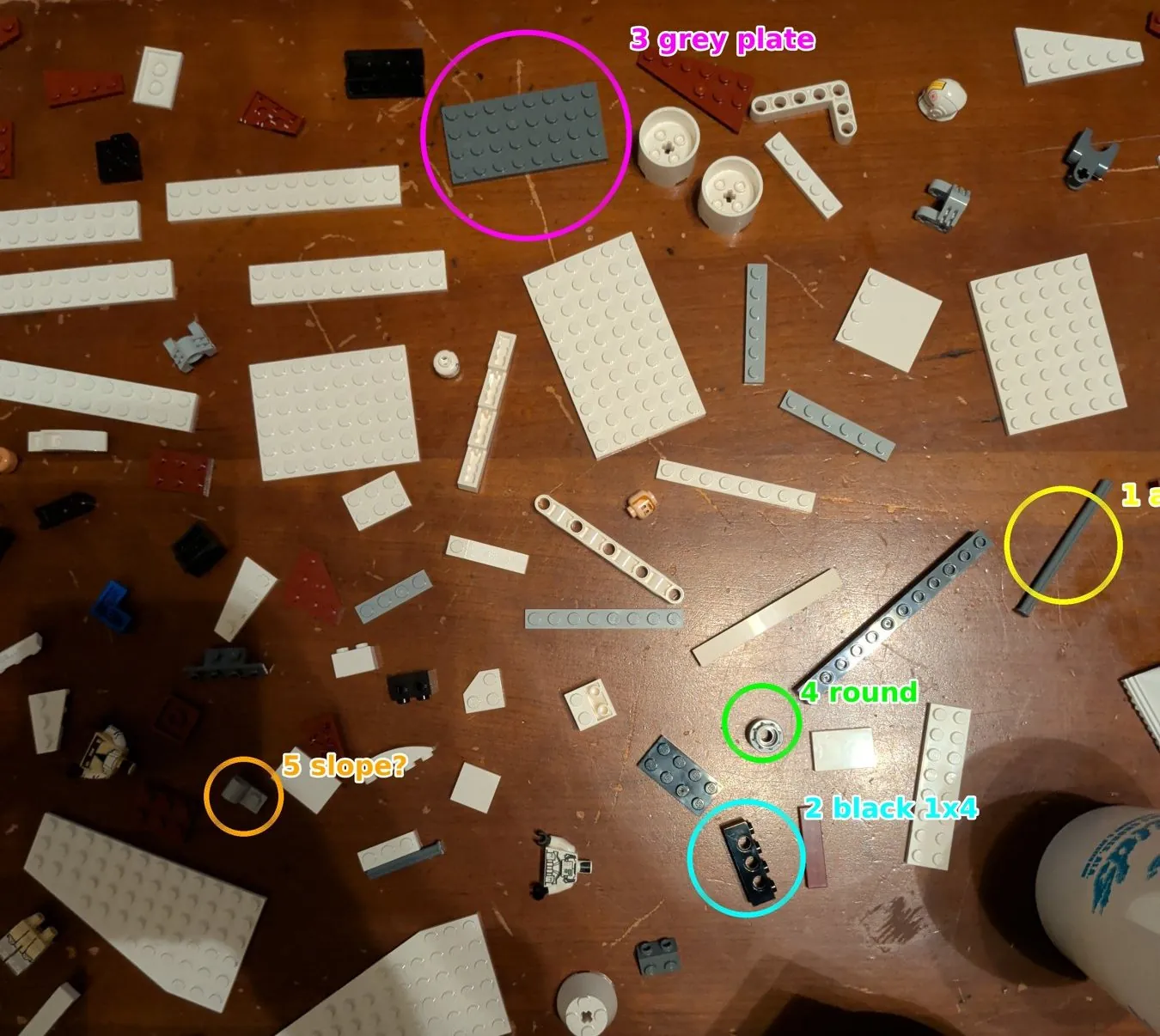
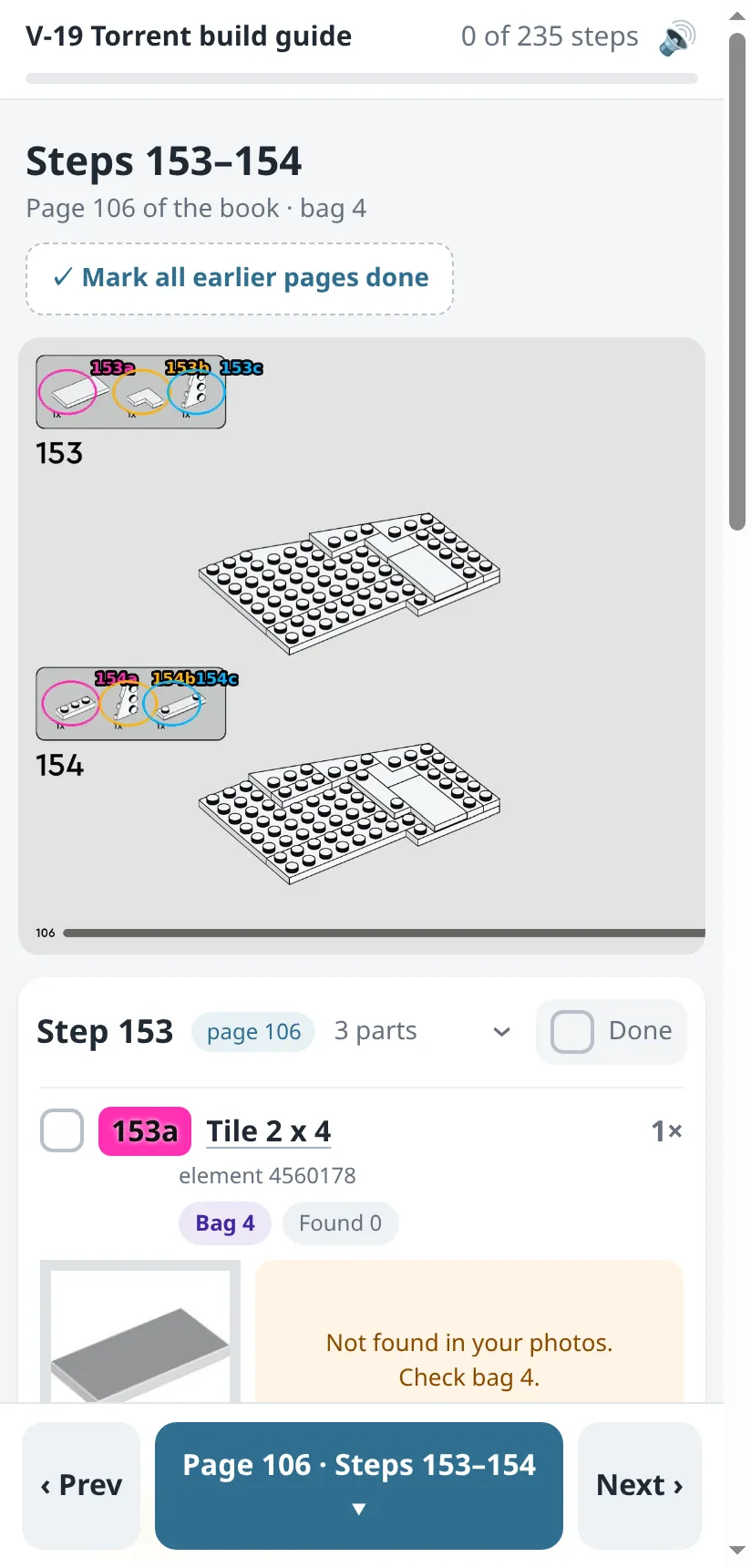
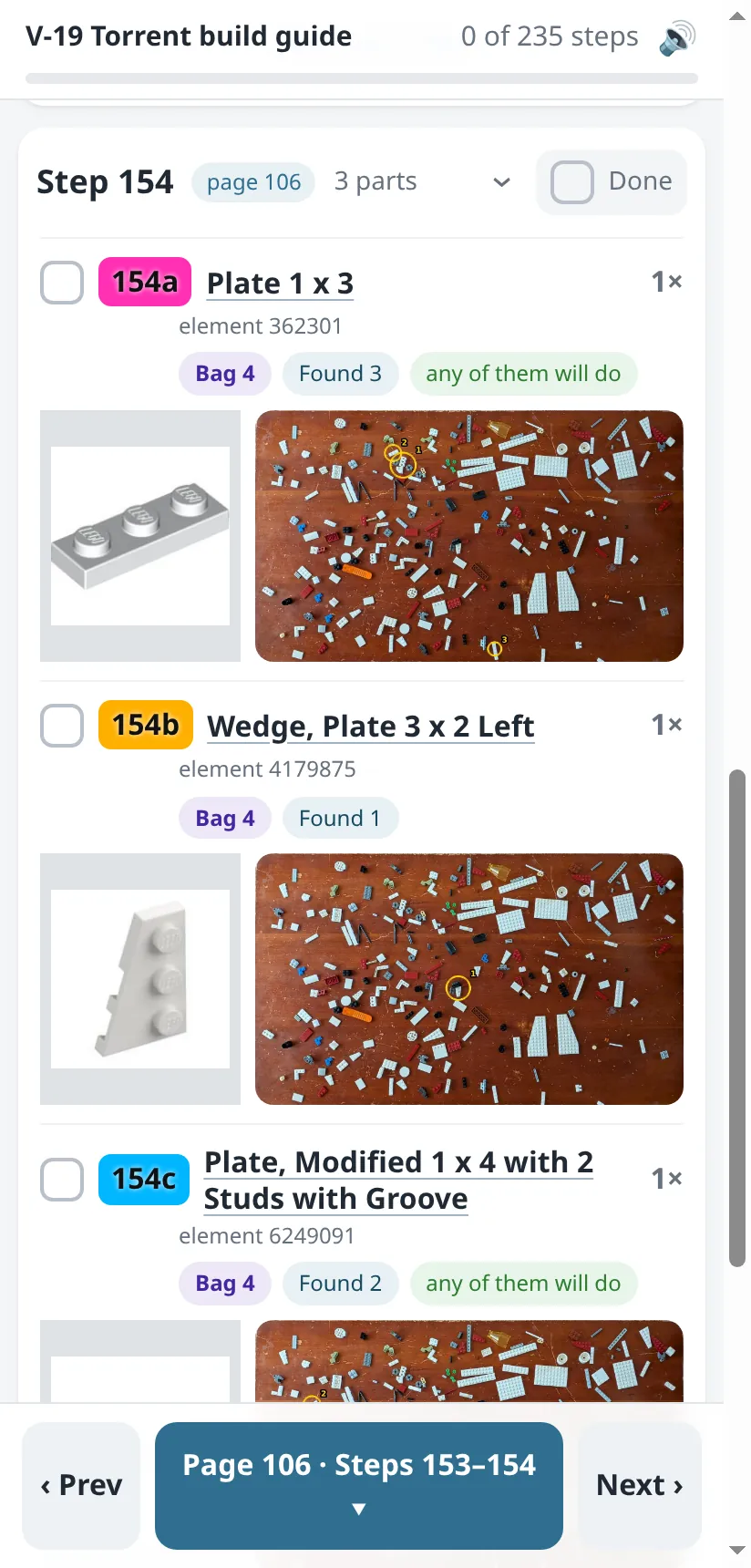
That night we did a few steps and a small GUI page to make it easy to view on the phone: the step from the book, with each brick circled on a photo of the table. Then my son went to bed. I stayed up and kept going.
What it turned into

By the end it was a small website on my phone that walks through every page of the book:
Find the table. A free image-processing tool, OpenCV, finds the tabletop in an overhead photo by its wood color and straightens it, so everything else lines up. Users can also manually crop the corners.
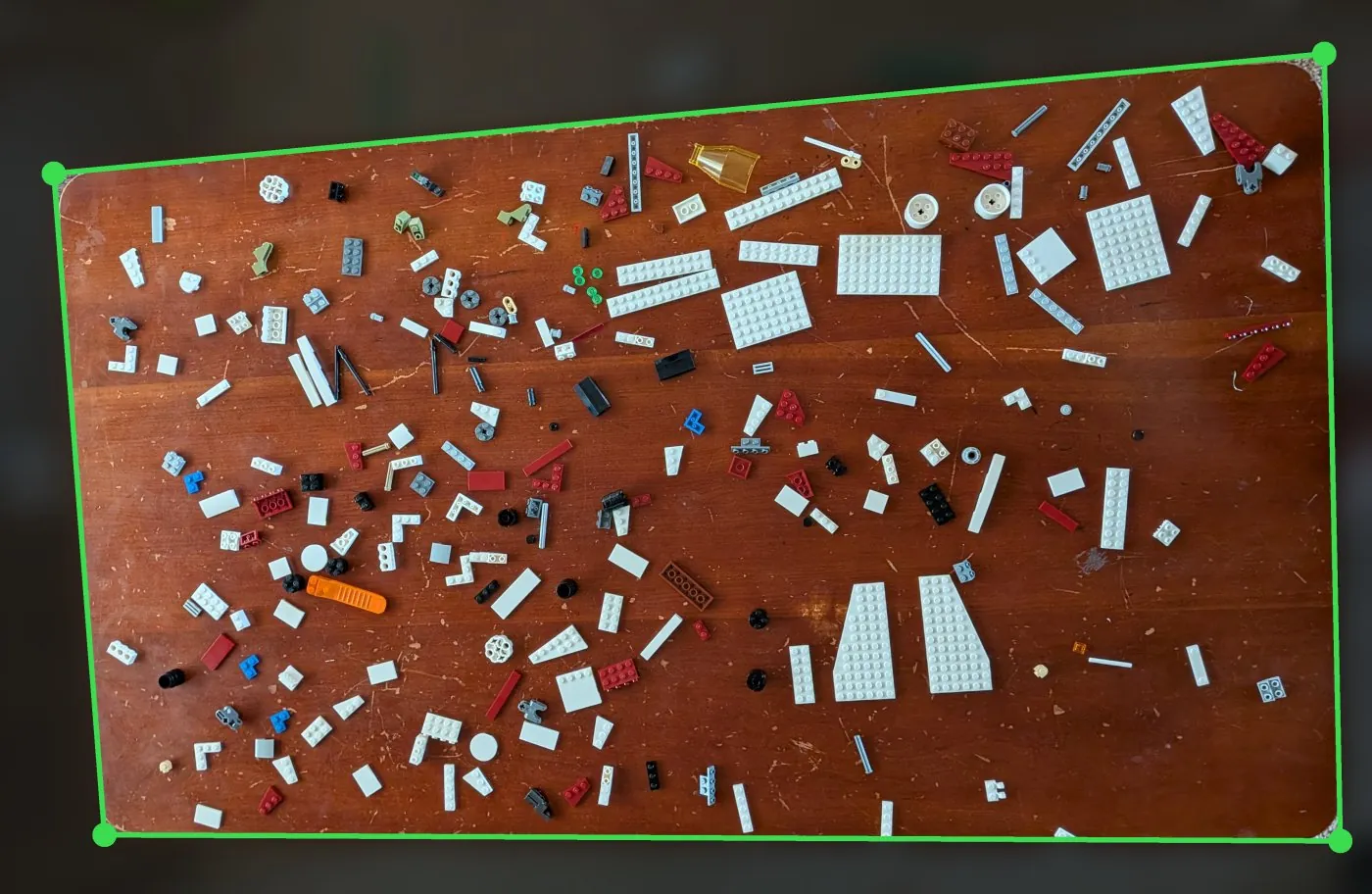
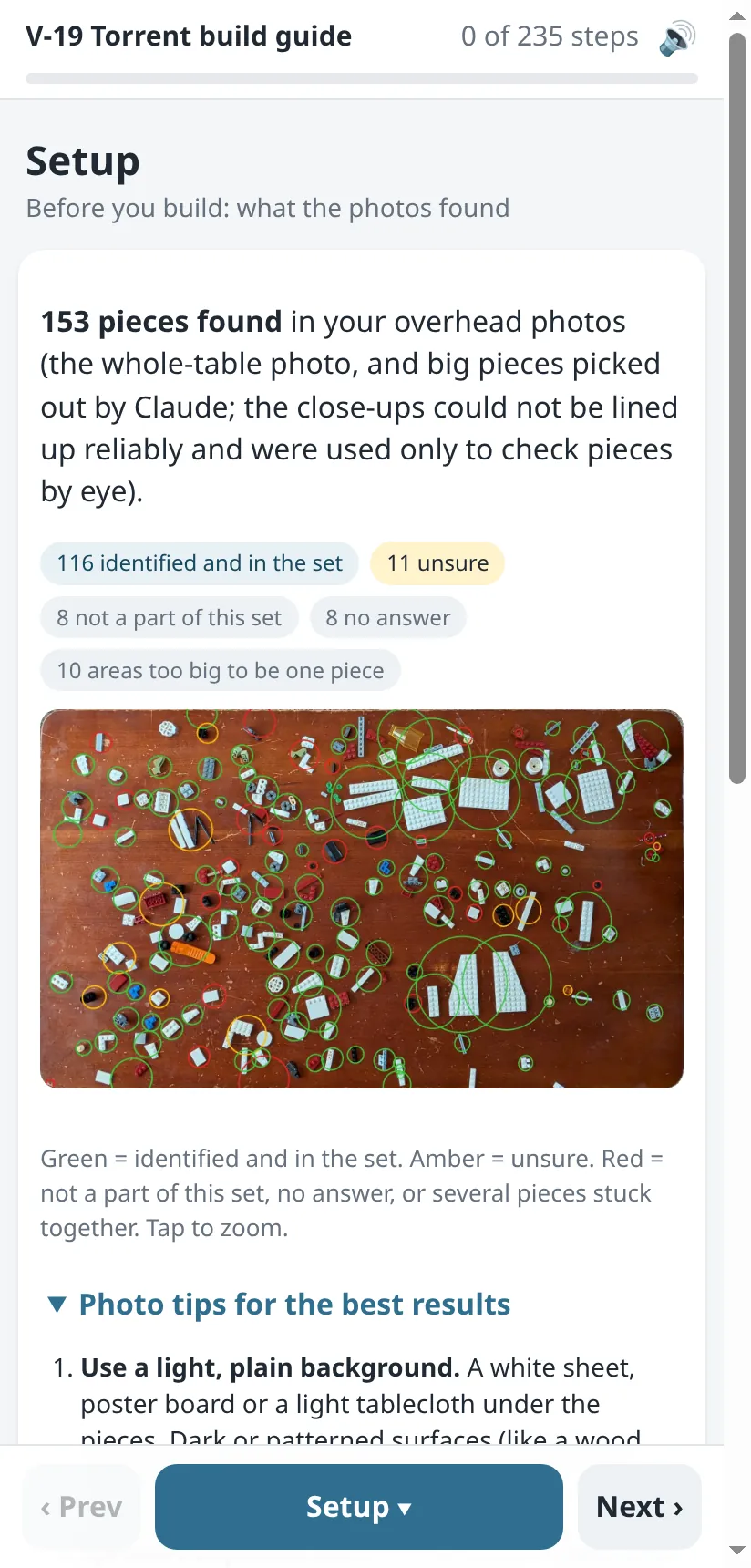
Find every piece. OpenCV also outlines every piece on the table in a couple of seconds.

Name every piece. Each piece is cropped and sent to Brickognize, a free website that identifies a LEGO part from a photo. I expect it to charge someday, since every picture costs them computing time, so the reusable version is designed to fall back to Claude alone, which is still pretty good.
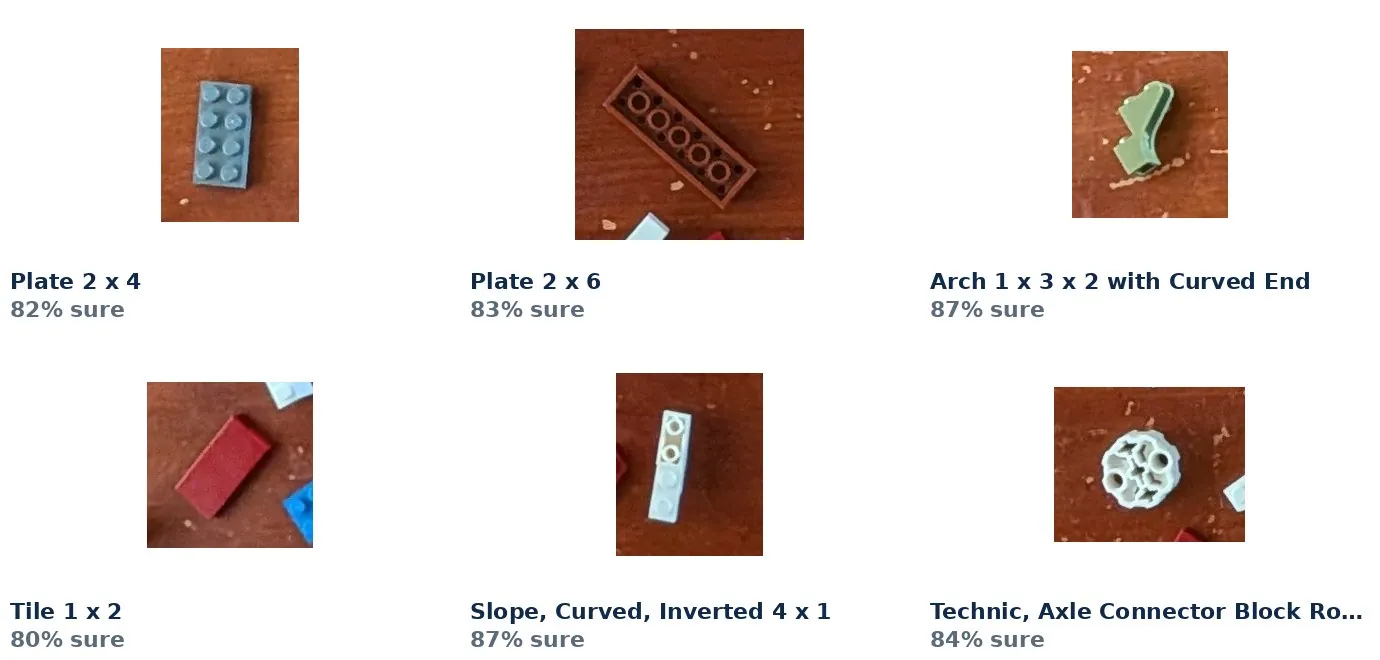
Match it to the set. The names are checked against the parts list in the back of the book, so the site knows which bricks belong to the set and how many of each it has found.
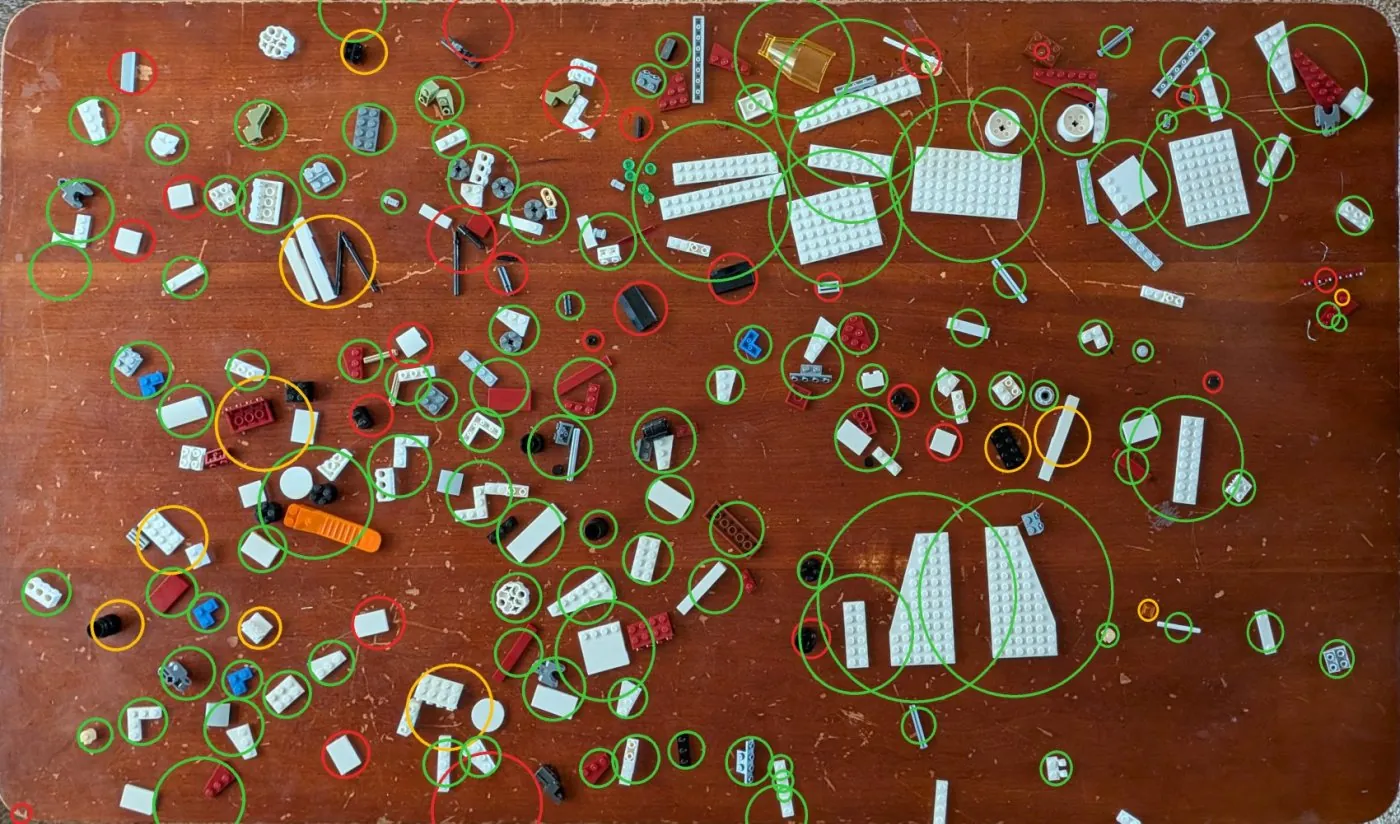
Then the guide itself:
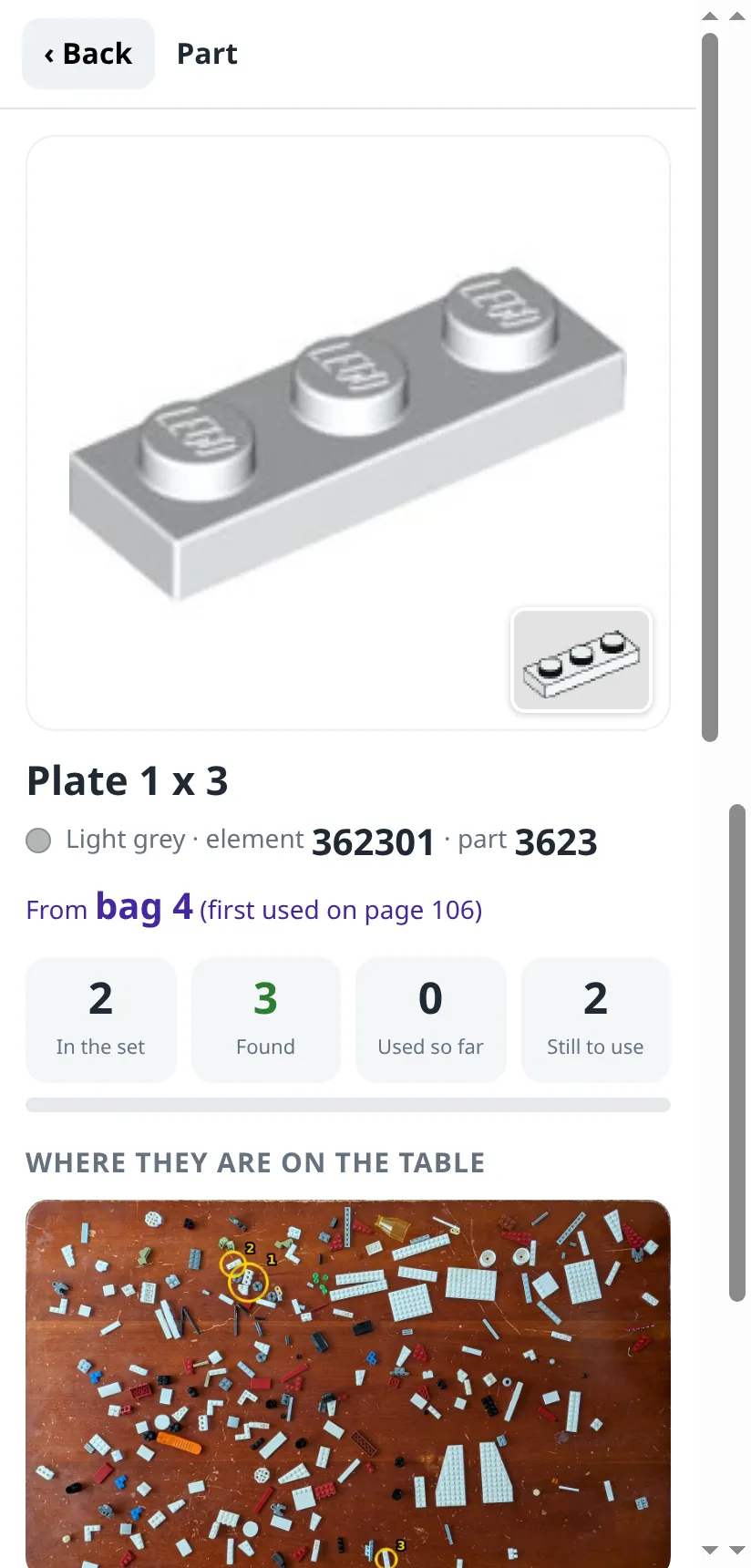
- One page per page of the book. Each step shows the instructions, every brick it needs, which numbered bag it came from, and a map of the table with every matching brick circled. We may not grab the one it suggests, so it shows them all.
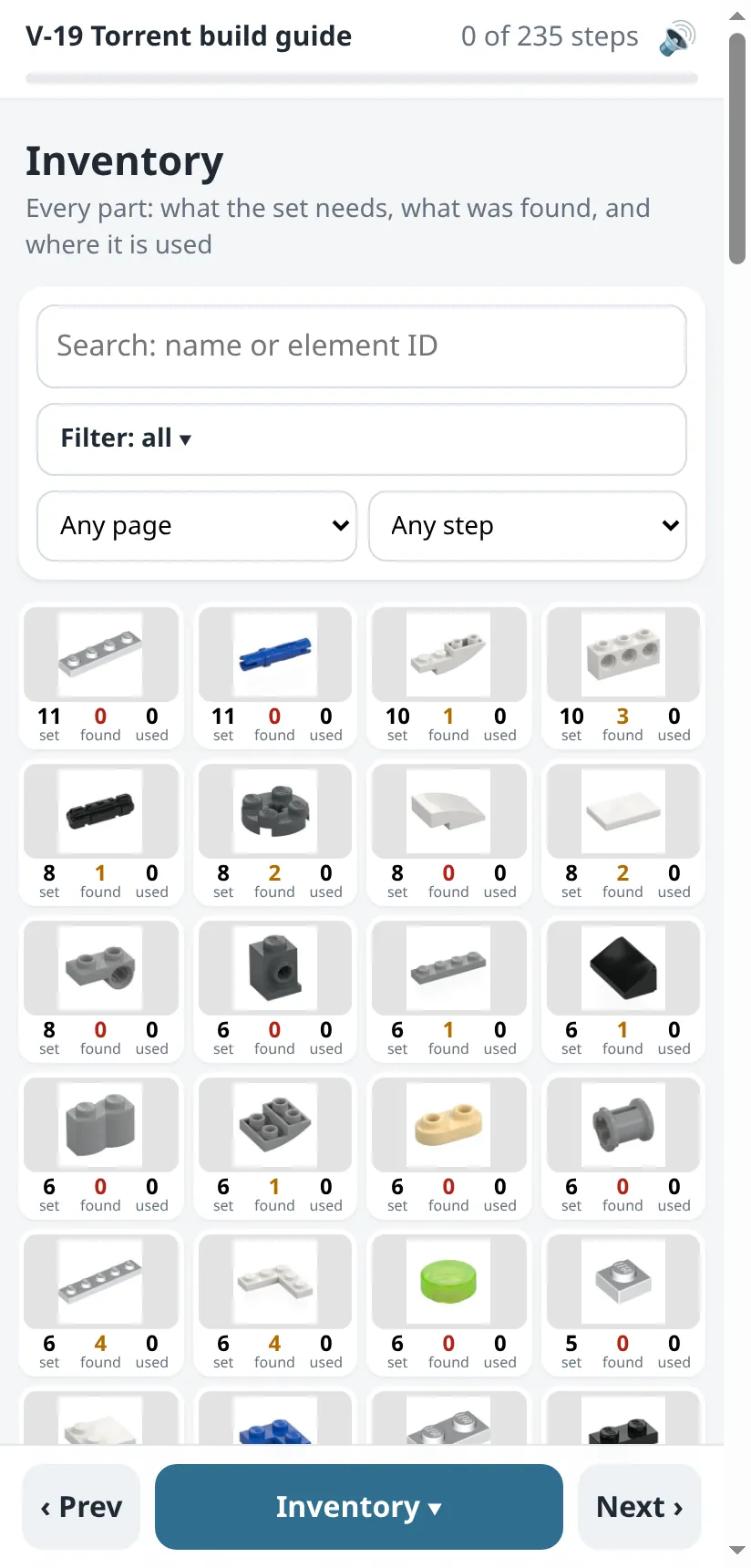
- An inventory. Every brick in the set: how many it needs, how many were found and how many we've used. Tap one to see where it's used and where it is on the table.
- A little fun. Tick a brick and it folds away. Finish a page and you get a short fanfare, a burst of brick-shaped confetti, and the next page.
Swipe to flip through 5 screens ›
Where the AI was wrong, and how we caught it
Most of the evening was correcting things, and that's the part I'd want someone else to know before trying this.
- It mislabelled pieces, and another tool caught it. I sent Brickognize LEGO's own drawings from the instructions as a test. It named every one, and it corrected two of the descriptions Claude had given us. The "small slope" we couldn't find was a different shape than Claude said.
- A confident match can still be wrong. For one step, the page showed a black slope where the book drew a black plate. The script had been so sure of that match that it never asked for a second opinion. After that, every match got the second check, and it caught three more mismatches.
- A brick or a plate? From straight above, a 1×8 brick and a 1×8 plate look the same. A photo from the side settled it, and so did a simpler rule: if the set doesn't contain a tan 1×8 brick, it isn't one.
- "It works" in testing isn't "it works" on my phone. One link passed every test and did nothing on my phone, because the pop-up it opened was hidden behind another page.
I also looked at tools other people have built. Two open-source projects on GitHub detect LEGO bricks in photos: lego-detector expects the pieces on a lit white panel, and lego-identification only sorts by color and size. I also tried MobileSAM, a lighter version of Segment Anything, Meta's tool for outlining every object in a photo. It worked better, but it was too much compute and time for this use: a 5.6 GB install and about nine minutes per photo on my computer. The plain image-processing tool did the same table in under two seconds.
At one point I asked Claude, "Are we over engineering this?" We were writing more and more code to split apart the big white plates that sat touching in the glare. There were fewer than 20 of them. Claude picked them out by eye instead, and Brickognize confirmed each one.
This is how I generally work with AI. I use AI to build scripts that lean on local "free" tools to do the initial screening. Then I use AI on the back end to check the edge cases that a quick algorithm or small compute cannot handle.
Did he need it?
Honestly, no.
Turns out humans are much better at object detection than computers. After the night before showed him how to find the pieces, he went right to work. He probably asked for help a handful of times. Most of the time he found the pieces himself, and when he got stuck, what he needed was me looking over his shoulder for a minute. The website was gold-plated and over-engineered.
But it was a fun project, and the starfighter got built.
Try it
Here is a working copy of the guide, built around a made-up rover drawn by code instead of a real set. Tap through it: tick bricks as you find them, open the inventory, and finish a page to hear the fanfare. To build one for your own set, the code is on GitHub.

LEGO® is a trademark of the LEGO Group, which does not sponsor, authorize or endorse this site. Brick identification by Brickognize; part pictures in the screenshots from Rebrickable. Comic by Randall Munroe, xkcd.com, used under CC BY-NC 2.5.
Get new posts by email or RSS
More to read

Laundry Is Done: The Home Assistant Automation That Won't Let Wet Clothes Go Musty
The house says when the washer is done, and keeps saying it until someone opens the door.

Ben Holden is an environmental engineer. Outside work he does home automation, AI projects and a lot of do-it-yourself projects. God, family and his kids are at the center of all of it. More about me · LinkedIn