Writing › Smart home
Post · November 2026
Laundry Is Done: The Home Assistant Automation That Won't Let Wet Clothes Go Musty
A Home Assistant automation that announces when the washer finishes and keeps reminding you until someone opens the washer door. A smart plug, a door sensor and a copy-paste YAML.
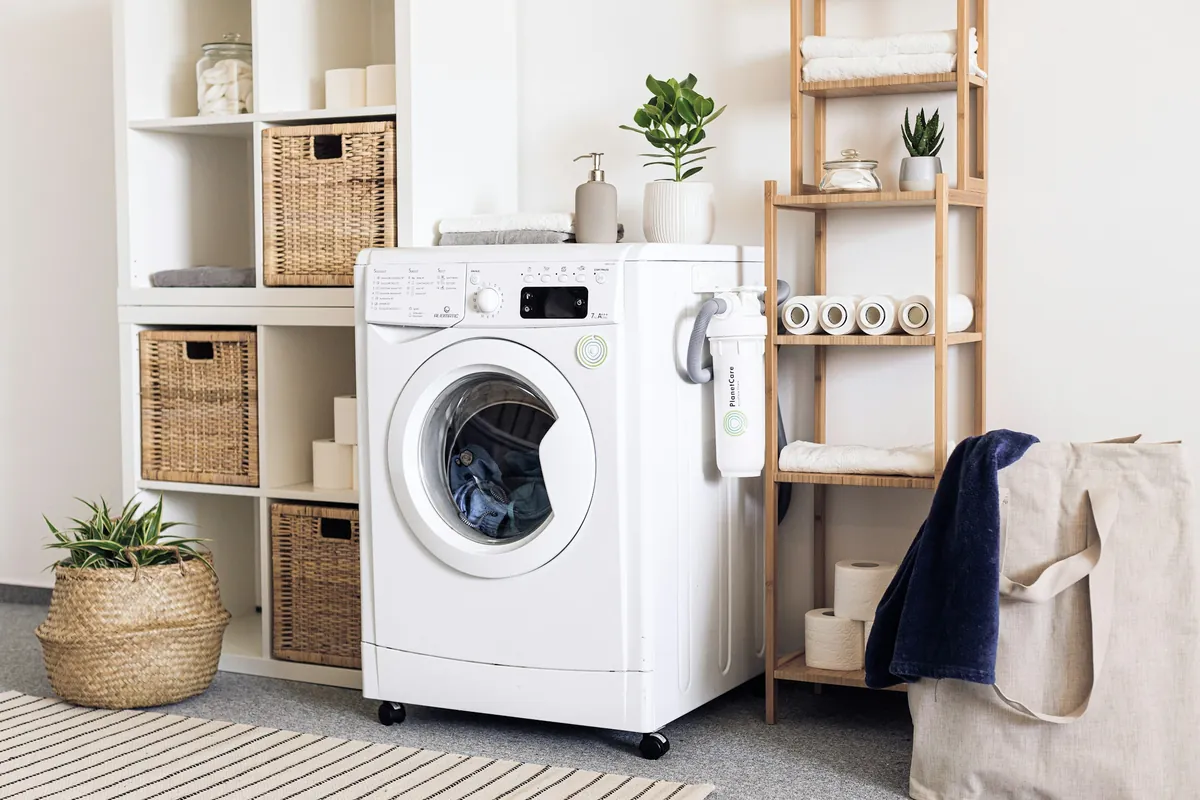
One of my favorite things Home Assistant does in our house is also one of the simplest, and it is the one my wife likes best. When the washer finishes, the house plays a chime and announces "Laundry is done" on the speakers. Then it keeps reminding us, more firmly each time, until somebody actually moves the wet clothes into the dryer. No more finding a load that sat all night and has to be washed again because it smells musty.
How it works
Home Assistant is software that runs at home and connects the smart devices in the house so they can react to each other. This automation needs two cheap sensors: a smart plug that measures how much power the washer draws, and a sensor on the washer door. From those two readings the house tracks the washer in three states:
- Running: the power has been up for a few minutes.
- Done: the power has dropped, so the house announces it and starts the reminders.
- Emptied: someone opened the door, so the clothes have been moved and the reminders stop.
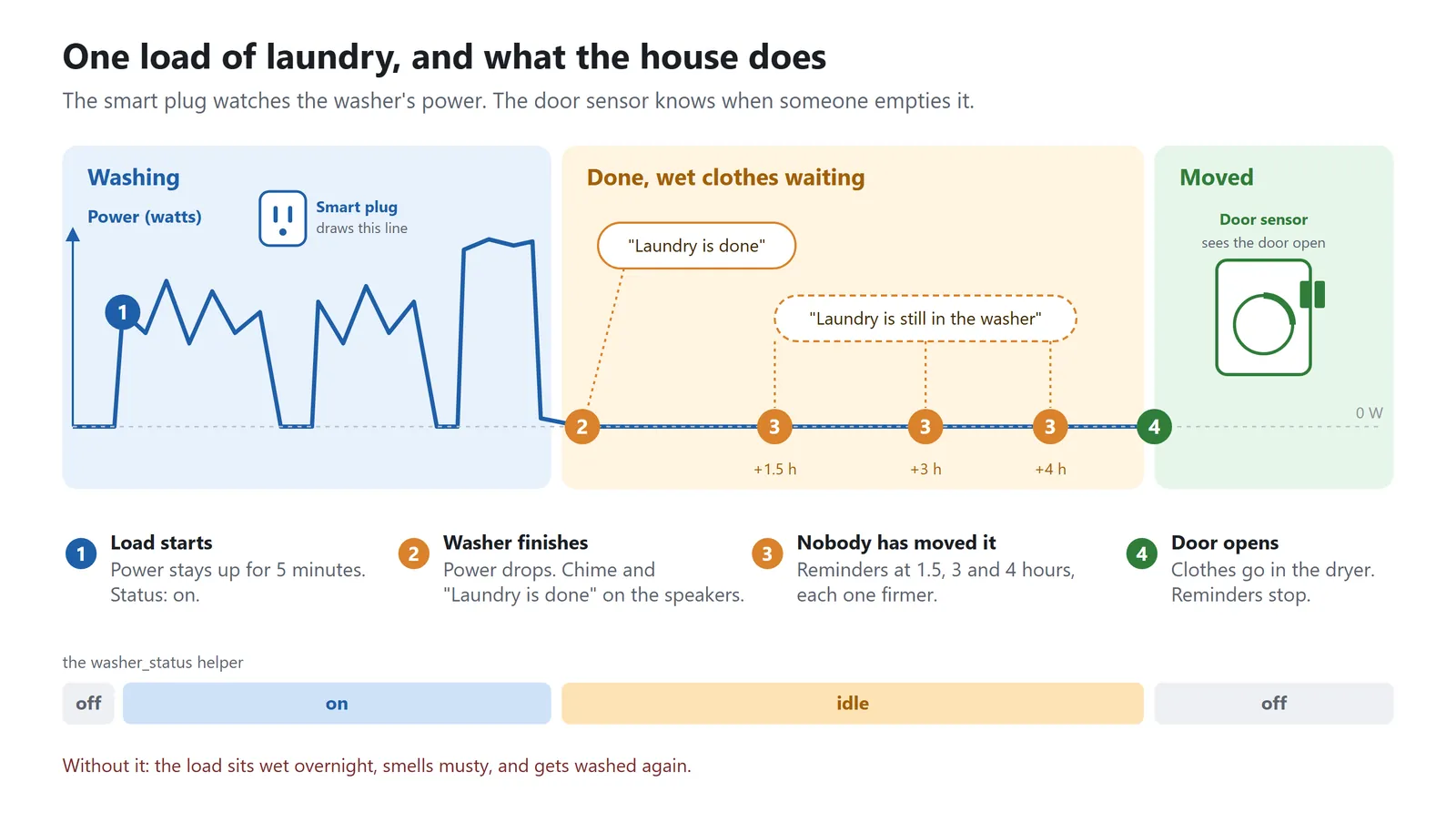
The reminders come at an hour and a half, three hours and four hours. Opening the washer door is the only thing that stops them, which is the point: the house cannot tell whether you heard it, but it can tell whether you went to the washer.
What you need
| Piece | What I use | What it tells Home Assistant |
|---|---|---|
| Smart plug with power monitoring, between the washer and the wall | Aeon Labs DSC06 Smart Energy Switch (Z-Wave) | Watts, about every 10 seconds |
| Contact sensor on the washer door | Aqara MCCGQ11LM (Zigbee) | Open or closed |
| Dropdown helper | Built into Home Assistant | off, on or idle (done, waiting to be emptied) |
My washer is an HE top loader, but nothing here depends on the brand. Most plugs that report watts will work. What matters is that the plug reports often and shows changes as small as a tenth of a watt. Any door or window contact sensor works for the door. To make the helper: Settings > Devices & services > Helpers > Create helper > Dropdown, named washer_status, with the options off, on and idle. It holds the washer's state, and unlike a timer inside an automation it survives a restart.
The automation
Create a new automation, switch to Edit in YAML, paste this, and swap in your own entity names and notification action.
alias: Washer - laundry done
mode: queued
max: 5
triggers:
  - trigger: numeric_state          # washer started
    id: started
    entity_id: sensor.washer_power
    above: 5
    for: { minutes: 5 }
  - trigger: numeric_state          # washer finished
    id: finished
    entity_id: sensor.washer_power
    below: 5
    for: { minutes: 2 }
  - trigger: state                  # door opened
    id: door
    entity_id: binary_sensor.washer_door
    from: "off"
    to: "on"
  - trigger: state                  # still in the washer
    id: nudge
    entity_id: input_select.washer_status
    to: idle
    for: { hours: 1, minutes: 30 }
  - trigger: state
    id: nudge
    entity_id: input_select.washer_status
    to: idle
    for: { hours: 3 }
  - trigger: state
    id: nudge
    entity_id: input_select.washer_status
    to: idle
    for: { hours: 4 }
actions:
  - choose:
      - conditions:
          - condition: trigger
            id: started
          - condition: state
            entity_id: input_select.washer_status
            state: ["off", "idle"]
        sequence:
          - action: input_select.select_option
            target: { entity_id: input_select.washer_status }
            data: { option: "on" }
      - conditions:
          - condition: trigger
            id: finished
          - condition: state
            entity_id: input_select.washer_status
            state: "on"
        sequence:
          - action: input_select.select_option
            target: { entity_id: input_select.washer_status }
            data: { option: idle }
          - action: notify.notify
            data: { message: Laundry is done }
      - conditions:
          - condition: trigger
            id: nudge
        sequence:
          - action: notify.notify
            data: { message: The laundry is still in the washer }
      - conditions:
          - condition: trigger
            id: door
        sequence:
          - action: input_select.select_option
            target: { entity_id: input_select.washer_status }
            data: { option: "off" }
What each part does:
- started: power above 5 W for 5 minutes in a row means the washer is running. The 5 minutes stop a single spike from counting.
- finished: power below 5 W for 2 minutes means done, so the status becomes
idleand the house announces it. - nudge: the status sitting at
idlefor 90 minutes, 3 hours or 4 hours sends a reminder. - door: opening the door resets everything to
off, which also cancels any reminder still waiting. - mode: queued: one automation handles every event, so a door opening while an announcement plays waits its turn instead of being dropped.
Two honest caveats. A restart of Home Assistant clears any for: timer that was counting, so a reminder can be skipped; my own version uses a timestamp helper and a 10-minute check to survive that. And this uses the 5 W rule for "finished" that almost every guide suggests.
This is the simple version. It works most of the time, but it has a flaw.
Coming in Part 2
This ran in our house for years, and it was great. Then one Saturday it announced the laundry was done five minutes into a rinse cycle. When I checked a full year of history, that rule had called loads done early 31 times, and announced eight loads that never happened. Part 2 is how a year of hoarded sensor data, and about three minutes of my attention, found and fixed every one of them.
See similar builds
Other people have built the same idea with different plugs and blueprints:
The videos play from YouTube and load only when you press play.
Get new posts by email or RSS
More to read

Teaching AI to Find LEGO Pieces So My Son Could Build
500 mixed-up LEGO pieces, one upset kid, and a phone guide built overnight with AI.

Ben Holden is an environmental engineer. Outside work he does home automation, AI projects and a lot of do-it-yourself projects. God, family and his kids are at the center of all of it. More about me · LinkedIn